Twitch extension plus chat-first RPG

Build a Twitch Chat RPG for your community

Viewers play through chat commands, while the panel and overlay turn those moments into a visible RPG world on stream.

Live Chat commands Closed beta Panel and overlay Coming later Public creator tools
Live stream preview RPG event active
World Boss Moonwell Guardian

Rally bonus active

Party 18 joined

Chat chooses skills, targets, and rally calls.

@LunaMage !quest

ChatBound LunaMage found Moon Ore x2.

@RaidDad !boss rally

@PixlRogue !equip ember dagger

Ways To Play

Chat stays first, every surface helps

Viewers should understand how to play even if they never open a panel. The extra screens make the game easier to see, not harder to enter.

viewer !start
bot Pick a race with !race 1.
viewer !explore
bot You found an old shrine.
Live

Chat

Best for everyone, including mobile viewers and people who never open the extension.

  • Always available in Twitch chat.
  • Works for commands, bosses, choices, and simple RPG actions.
  • Bot replies stay short so the stream does not get buried.
ChatBound RPG panel preview
Closed beta

Panel

Best for mobile-friendly checks, quiet inventory browsing, map choices, shop choices, and tap events.

  • Cleaner than chat for personal details.
  • Useful for character, inventory, map, and shop screens.
  • Still marked as closed beta until public release is ready.
Overlay Party fight

Designed for stream-visible boss, drop, map, and party moments.

Closed beta

Overlay

Best for the big stream-visible version of the RPG, especially fights and shared moments.

  • Shows party status, drops, boss health, and event alerts.
  • Helps PC viewers see what chat is doing.
  • Still a beta surface, so chat remains the reliable path.

For Streamers

Set up the RPG without designing a whole game first

Pick a starter package, review the beginner settings, test the chat commands, then publish the version viewers should see.

1

Connect Twitch

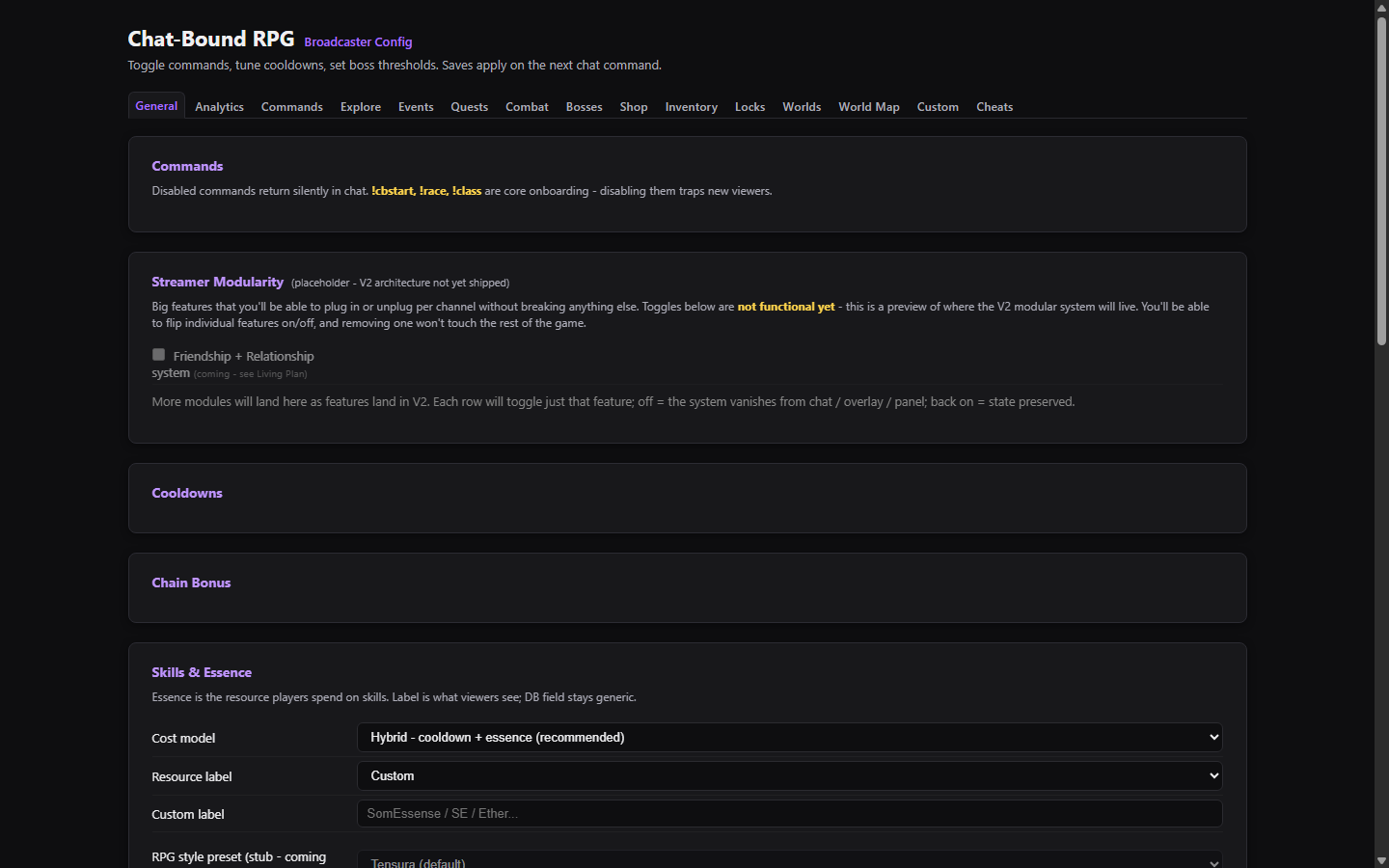
Use your Twitch account to open your private streamer workspace.

2

Pick a package

Start with Classic RPG, then adjust the public labels and starter settings.

3

Test and publish

Preview chat, panel, and overlay behavior before viewers see the published version.

Game Packages

Official worlds first, deeper tools later

Public package names stay original. Streamers get safe starting points without needing custom lore, custom art, or public uploads.

Starter package

Classic RPG

Levels, races, classes, quests, bosses, gold, drops, and a simple fantasy foundation.

Open Streamer Dashboard
Coming later

Monster Ascension

Original creature growth, evolution paths, villages, relationships, and exploration meetings.

Coming later

Creature Collection

Collect, train, and trade creatures through chat events, discoveries, and rare drops.

Future tools

Custom Worlds

Streamer-controlled settings with guardrails, review paths, and safe reset options.

Product Preview

Use real surfaces, label beta gaps clearly

The final page should use clean product captures when they are ready. Until then, the site separates live chat, beta surfaces, and setup previews.

viewer !boss rally
bot Rally opened. Type !joinboss.
viewer !skill shield

Chat commands

Live path for every viewer.

Panel preview screenshot

Panel

Closed beta surface. Replace with a clean capture before public launch.

Streamer setup preview screenshot

Streamer setup

Configuration is moving toward the website dashboard.

Support And Safety

Give streamers control when chat gets loud

ChatBound RPG should help engagement without taking over the stream. Streamers keep pause, slow mode, and announcement controls close by.

Chat safety

Duplicate commands, burst spam, and bot reply noise are handled before they become the show.

Closed beta

Panel and overlay testers help polish the experience before public release.

Support path

Use the support contact for bugs, data requests, event ideas, and access questions.